MASTER EXCEL TRICKS
USED BY THE TOP 1% PROFESSIONALS
THAT ARE GUARANTEED TO SAVE UPTO 1 HOURS OF TIME EVERYDAY
WITHOUT ANY PRIOR KNOWLEDGE AND IN JUST 2 HOURS
UPCOMING
WORKSHOP
- No more overtime or long hours working on MS Excel
- Proven to reduce your work by 1 hours daily
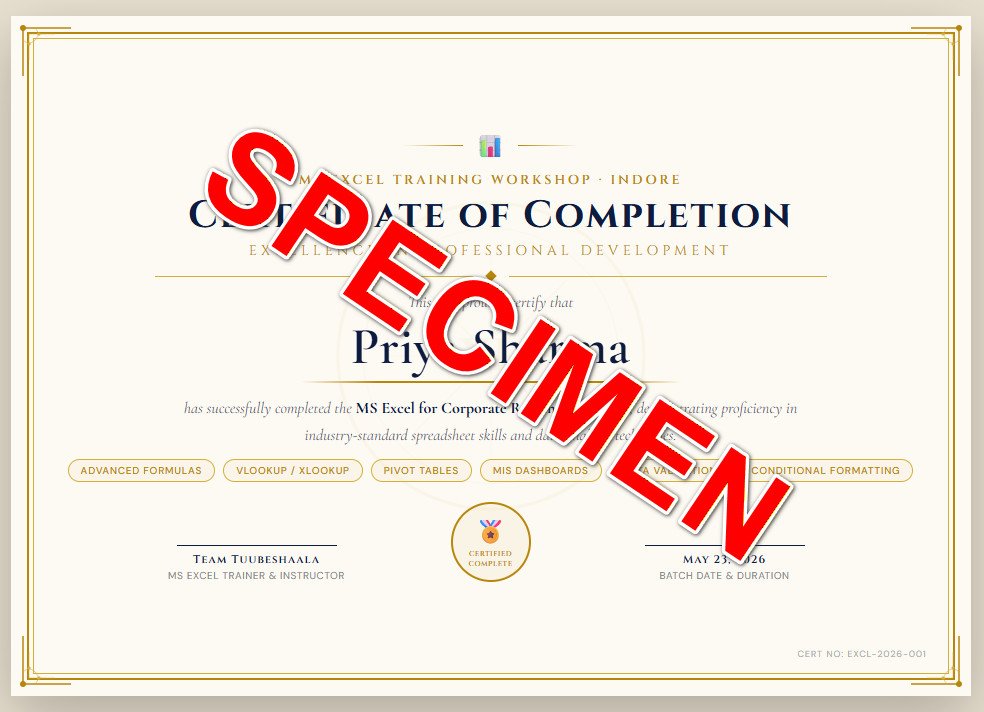
- Make your resume the best by getting Certified by a Certified Trainer
- Get multiple high paying job offers by mastering the most in-demand skill of 2026
- Solve Real Life Problems that you face daily with Microsoft Excel
- 5,240 People have attended & mastered Advanced Excel
Please Check All Boxes Where Your Answer Is YES!
REGISTER NOW FOR THE FORTH COMING WORKSHOP !
⚡ Work 3–5x Faster with Smart Excel Techniques
Stop wasting hours on manual tasks. Learn shortcuts and methods that dramatically improve your speed and efficiency.
📊 Turn Raw Data into Clear Insights
Learn how to analyze data using filters, formulas, and tools that help you make smarter decisions instantly.
🔥 Master Practical Formulas That Actually Matter
Understand IF, VLOOKUP/XLOOKUP, and logic-based formulas through real-world use cases — not theory.
📈 Create Professional Reports & Pivot Tables in Minutes
Build dynamic reports and summaries without complex coding or advanced skills.
📉 Build Simple Dashboards That Impress
Convert your data into visually appealing dashboards that enhance your professional credibility.
🤖 Leverage AI + Excel for Maximum Productivity
Discover how to combine Excel with AI tools to automate repetitive work and stay ahead of the competition.
To Unlock All Bonuses worth Rs 5,000
Bonus 1 📘 Excel Shortcut Cheat Sheet
What it includes:
- 100+ most useful shortcuts
- Categorized (Navigation, Formatting, Formulas, Data Handling)
- Designed for quick daily reference
₹1500
Bonus 2 🧾 Professional Reporting Templates Pack
What it includes:
- Monthly Report Format
- Data Summary Sheets
- Clean, presentation-ready layouts
₹2000
Bonus 3 🎯 Practice Files (Real-World Datasets)
What it includes:
Raw business datasets
Exercises aligned with workshop topics
Hands-on practice scenarios
₹500
Bonus 4 📕 “Excel for Professionals” Quick Guide (PDF)
What it includes:
Step-by-step explanation of key functions
Practical examples
Use-case-based learning
₹1000
Time is running out. Reserve your slot now!
MEET ME !
- Trained 1000+ Students & Professionals
- Conducted Corporate-Oriented Sessions
- Specialized in Practical Excel Applications
- Focus on Outcome-Based Learning

Dr. Abhijeet Chatterjee is a senior educator, trainer, and academic leader with 35+ years of experience in Commerce, Finance, and Data Analytics. As the Head of the Institute of Commerce at SAGE University, Indore, he has trained thousands of students and professionals in practical Excel, Financial Analysis, and Business Analytics skills.
Known for his practical and implementation-focused teaching style, he specializes in helping learners improve productivity, analyze data effectively, and build real-world professional skills using tools like MS Excel and Data Visualization techniques.
Frequently Asked Questions
I have tried my best to answer all the frequently asked questions. If you still have more questions, please write to us at “your email” (Give us 8 working hours to respond back). My awesome support team will get back to you.
This workshop is designed for working professionals, managers, business owners, and students who already use Excel but want to use it more effectively for real work scenarios.
You should at least be familiar with basic operations like entering data and simple formulas.
You will be able to:
- Create faster and cleaner reports
- Use formulas for real decision-making
- Analyze data using filters and pivot tables
- Build simple dashboards
In short: you’ll move from basic usage to practical application.
YouTube gives scattered knowledge.
This workshop gives:
- Structured learning
- Real-world use cases
- Live guidance and doubt solving
Result: faster learning, better clarity, and immediate application.
Yes — if your work involves data, reporting, or analysis.
Excel proficiency directly impacts:
- Productivity
- Decision-making ability
- Professional value
Yes. You will work on real datasets and examples during the session, not just watch demonstrations.
Yes. You should have MS Excel installed (preferably Excel 2016 or above) on your laptop.
It is a focused, high-intensity 2-hour live session designed to deliver maximum value in minimum time.
Yes, a certificate of participation (Subject to complete attendance & feedback form submission).